 Chimy
How do I make a WhatsApp QR code or link for my business?
Short answer
Make a wa.me link with your number in international format, for example wa.me/31612345678, optionally followed by a ready-made message. Turn that link into a QR code. A customer scans or taps it, WhatsApp opens with your number and the message ready, and they never need to save your number.
What a WhatsApp link and a QR code do
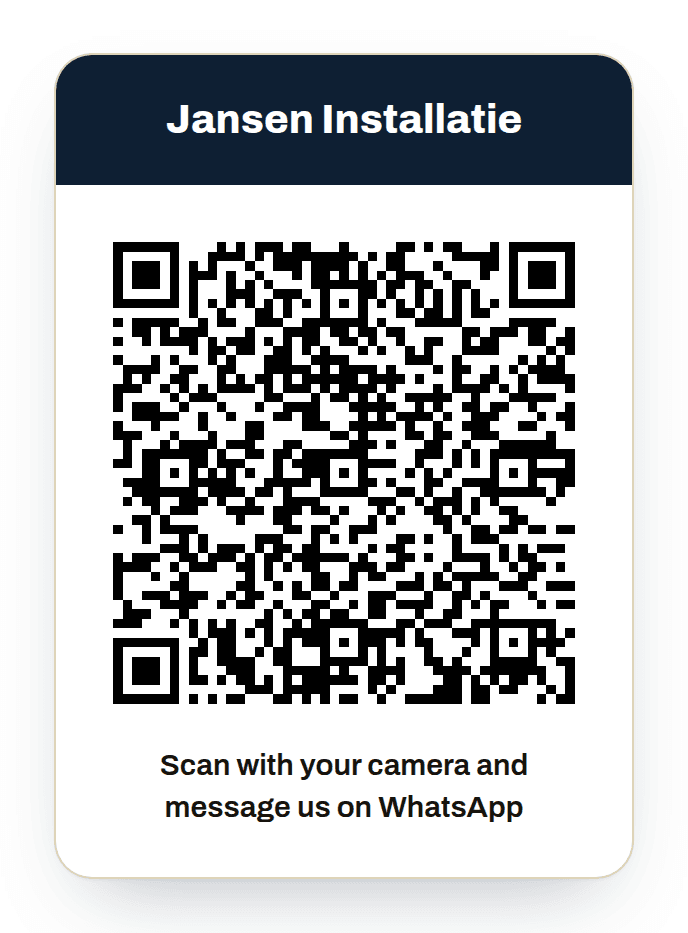
A WhatsApp link is an ordinary web address that opens a chat with your number. A QR code is the same link as a picture, so a customer can scan it with the phone camera. There is nothing to install and the customer does not have to add your number to their contacts.
For a small business that is the difference between a customer who thinks they will call you later and one who sends a message now. On a van, a quote or a door, a phone number is a string of digits. A code takes a second to scan.
How to make the link yourself
The link starts with wa.me followed by your number in international format: no plus sign, no leading zero and no spaces. A Dutch mobile number like 06 12 34 56 78 becomes wa.me/31612345678. If you want a message waiting in the chat, add ?text= and then the words. Write spaces as %20.
Always test the link yourself, on your own phone and ideally on someone else's. Check that the right number opens and the message reads well. One wrong digit sends your customers to a stranger.
From link to QR code
You make a QR code with an online QR generator. Paste your wa.me link, then download the picture as a PNG. Choose a high resolution if you will print it, because a blurry code scans badly.
On paper, keep some blank space around the code. Add a short line such as Scan and send us a message, so people know what will happen. After printing, scan it again with a phone, in poor light too.
Where to put the code
Put it where customers already see you, with their phone already in their hand:
- As a sticker on the van, on the back and on the side.
- On your quotes and invoices, so a follow-up question lands with you straight away.
- On your business card and on a small card you leave after every job.
- In your shop window or on the door of your workshop.
- As a link on your website, in your email signature and in your social media profiles.
- On a sign at a building site or renovation where you are working.
What happens next, and what Chimy adds
With a plain link the message lands on your own phone. That works as long as you reply, but if you are on a roof or under a sink you see it hours later. Meanwhile the customer messages someone else.
With Chimy you have a link and QR code as soon as you need them: you find them under Get started and under Settings. They open WhatsApp on the shared Chimy number, with a ready-made message that contains a short personal code. Chimy uses that code to see which business the conversation belongs to, so share the link and QR code as they are and do not remove the code from the message. The assistant replies, says it is a digital assistant, asks what is going on, where and when, and books a one-hour appointment inside the times you release. You see the conversation in your dashboard and can always carry on yourself with Take over.
Do you want customers to message a number of your own, with your business name in WhatsApp? Then choose the own-number add-on, €15 a month or €149 a year. Your link and QR code then point to that number, with a plain ready-made message and no code. That only happens once your number is active: Meta has to activate WhatsApp on the number and approve the name, which can take a few days. Until then your shared link keeps working. So print your sticker only when you know which number you are using, and download a new one once your own number is active. Your own mobile number stays yours.
What it costs and how to start
You start once with Starter for €49 incl. VAT, with 10 credits. After that you top up credits when you need them, for example 10 credits for €25. A Chimy number of your own is optional, for €15 a month or €149 a year. Credits never renew by themselves. All prices include VAT.
You start with the Start on WhatsApp button and confirm your email address. Then you download the sticker with the QR code under Get started or Settings, and copy the link for your website or signature.
Frequently asked questions
Does a customer have to save my number to message me?
No. With a link or QR code WhatsApp opens a chat with your number straight away. The customer saves nothing and installs nothing, as long as they already have WhatsApp.
Does a QR code I already printed still work if I change the message?
Yes, but with the old text. If you change the ready-made message or the language, download a new sticker and replace the old one.
The QR code does not work. What now?
Scan it with the phone's own camera app and make sure WhatsApp is installed. Use the code or link exactly as shown in your dashboard. If you reprint it, check the resolution and the blank space around it.
Can I get a link or QR code before my own Chimy number is active?
Yes. Without a number of your own, the link and QR code point to the shared Chimy number and contain a personal code. If you choose the own-number add-on, you get a link and QR code for that number once Meta has activated it. Until then the shared link stays in place.
Is there a code in the ready-made message, and may I remove it?
Yes, the shared link has a short code in the message. Leave it in: Chimy uses it to see which business the conversation belongs to. With a Chimy number of your own there is no code, because Chimy recognises you by the number the message arrives on.
Can I replace my link, and does an old QR code still work?
Yes. Choose a new link under Settings. The old link and QR code keep working for 30 days and then stop.
Other guides
- When should an AI assistant hand over to a human in a small business?
- How do you set up an AI assistant with a price list and a will-not-do list?
- Booking software or an AI assistant on WhatsApp: which to choose?
- Build your own WhatsApp bot, or use a ready-made AI assistant?
- Answering service, voicemail or AI assistant: what is the difference?
- How do you follow up contact form enquiries quickly on WhatsApp?
- What does a missed call cost you each month?
- How do you forward calls you don't answer to another number?
- How fast should a small business reply to a new enquiry?
- Which photos and messages do you need from a customer to quote over WhatsApp?
- Emergency jobs as a plumber: what do you set for your WhatsApp assistant?
- How do you ask customers for a review on WhatsApp?
- Can you start with a WhatsApp assistant if you have no website?
- How can you schedule an appointment in WhatsApp?
- How do you cut no-shows with a WhatsApp appointment reminder?
- What is the WhatsApp Business API, and does a small business need it?
- WhatsApp chatbot for a small business: what it can and cannot do
- What is the WhatsApp 24-hour window and what does it mean for your business?
Start with your WhatsApp number
This opens WhatsApp with a ready-made message. Send it and we'll handle the rest in WhatsApp.
Start on WhatsApp
Scan the QR code with your phone's camera.
- Open the camera app on your phone and point it at the code.
- Tap the WhatsApp notification or link that appears. WhatsApp opens with the message already typed.
- Send the message. Chimy takes it from there in WhatsApp.