 Chimy
You are holding six leads. A new owner messages about a puppy.
As a dog walker you spend most of the day outside. In the woods, on the heath or along the canal, with a group of dogs that all want to go a different way. Your phone is deep in your coat pocket. That is exactly when someone messages who has just got a puppy and goes back to work next month.
Chimy is an AI assistant on WhatsApp that asks about requests, answers questions from your profile and books appointments. On WhatsApp it replies within a minute on behalf of your business, in the evening and at the weekend too. It asks what kind of dog it is, on which days and how often the dog should come along, and which neighbourhood the owner lives in. Dogs or areas you do not take, it politely declines. For the rest it books an introduction meeting, an hour by default, at a time you have released.
This opens WhatsApp with a ready-made message. Send it and we'll handle the rest in WhatsApp.
Start on WhatsApp
Scan the QR code with your phone's camera.
- Open the camera app on your phone and point it at the code.
- Tap the WhatsApp notification or link that appears. WhatsApp opens with the message already typed.
- Send the message. Chimy takes it from there in WhatsApp.
Start on WhatsApp. Starter for €49 once, then pay per conversation. Prices incl. VAT.
Customer: Good morning! We recently got a seven-month-old labradoodle and we are both going back to work soon. Do you have room?
Assistant: Good morning, thanks for your message to Uitlaatservice Snuffel. I am the digital assistant. Lovely, a young labradoodle. On which days and how often should he be walked?
Customer: Three times a week: Monday, Wednesday and Friday, around midday.
Assistant: Noted. Which neighbourhood do you live in?
Customer: Veenendaal-Oost.
Assistant: That is in our service area. We always start with an introduction meeting, an hour by default, with your dog there. That is also where you agree the regular days. Does Thursday 5 November from 18:00 to 19:00 work?
Customer: Yes, that is fine.
Assistant: Booked: Thursday 5 November, 18:00 to 19:00, an introduction for your seven-month-old labradoodle, wished days Monday, Wednesday and Friday around midday. Uitlaatservice Snuffel will be in touch.
- Appointment in the calendar of Uitlaatservice Snuffel
The problem
Without an answer, a customer is gone.
Without an assistant
A missed call or a message left waiting. The customer looks elsewhere.
With Chimy
The customer gets an answer, Chimy asks what's needed and you read it when you have time.
Take a look
This is your dashboard.
When a dog walker cannot pick up
Answering the phone with six dogs on the lead is not going to happen. Nor while you load the van, let a dog off at the off-lead field or wipe a muddy paw before you bring it home. Whoever calls or messages then hears back hours later.
New owners often write in the evening, when the puppy is asleep and they look at their week. Or early in the morning, just before they leave for work. They usually message a few walking services at once and go with whoever replies first.
- A puppy that needs company during the day from next month
- A regular place in the group walk on weekdays
- A solo walk for a dog that does not get on with the group
- An owner who is moving and needs a walker in the new neighbourhood
Three questions before you meet an owner
By default the assistant asks the three questions that belong to your trade. What kind of dog do you have, which breed and how old? On which days and how often should it be walked? Which neighbourhood do you live in? It asks them one at a time, in plain words, and skips what the owner has already said.
So before the introduction you already know whether it is a young dog or an older one, whether the owner wants three fixed days or only now and then, and whether the address is on your route. The questions are in your profile under Intake questions. You change them or add to them, up to fifteen.
Which dogs and areas you take is up to you
Every walking service has its own rules. You know which dogs fit your group and which do not, and how far you drive. You put those rules in your profile once, under What you do not do and Service area. For example: no dogs that cannot be with other dogs, no dogs above a certain weight, no single walks at the weekend, nothing outside the neighbourhoods on your route.
If a request clearly falls under them, the assistant politely says no, books no introduction and marks the request as lost. It does not pass such a request on to you, so you get no message about it during your round. You do see the conversation in your dashboard, with the reason.
If it is not clear whether a dog or an area falls under your rules and your profile does not settle it, you get the conversation on your WhatsApp, with a short reason. Then you decide. You change your rules whenever you like. Room in the group again? Take a rule off for a while.
The appointment is the introduction, not the walking schedule
What the assistant books is always an introduction meeting, an hour by default. That is where you meet the dog, the owner and the home, and agree the regular days. The assistant notes which days the owner wants, but it does not book regular walks and keeps no walking schedule. Putting the dog on your round is something you do yourself.
The default questions are not about the dog's health, medication or what the vet said. The assistant gives no advice of its own on that either: it answers only with what your profile and your frequently asked questions say. You discuss the dog's health yourself at the introduction. It names a price only if it is under your Services, and then as an indication, with from or about.
What you find when you are back from your round
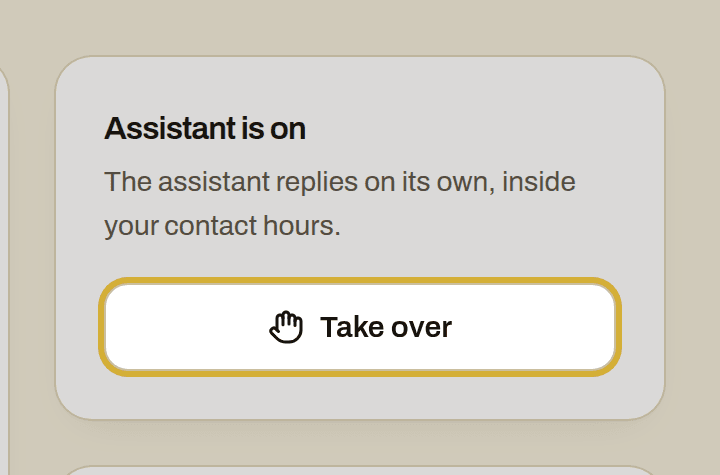
For every introduction the assistant books, you get a WhatsApp and an email with a calendar invite. In your dashboard you read back the whole conversation, including the requests the assistant declined. Want to carry on with an owner yourself? Click take over in Leads and the assistant stops right away.
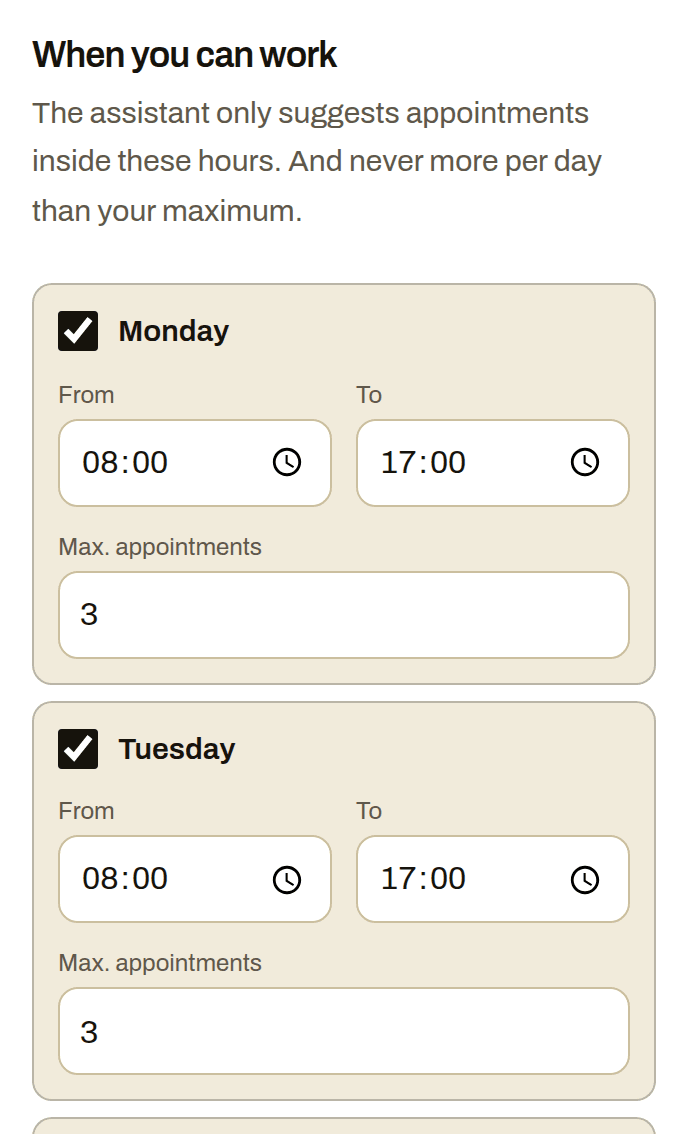
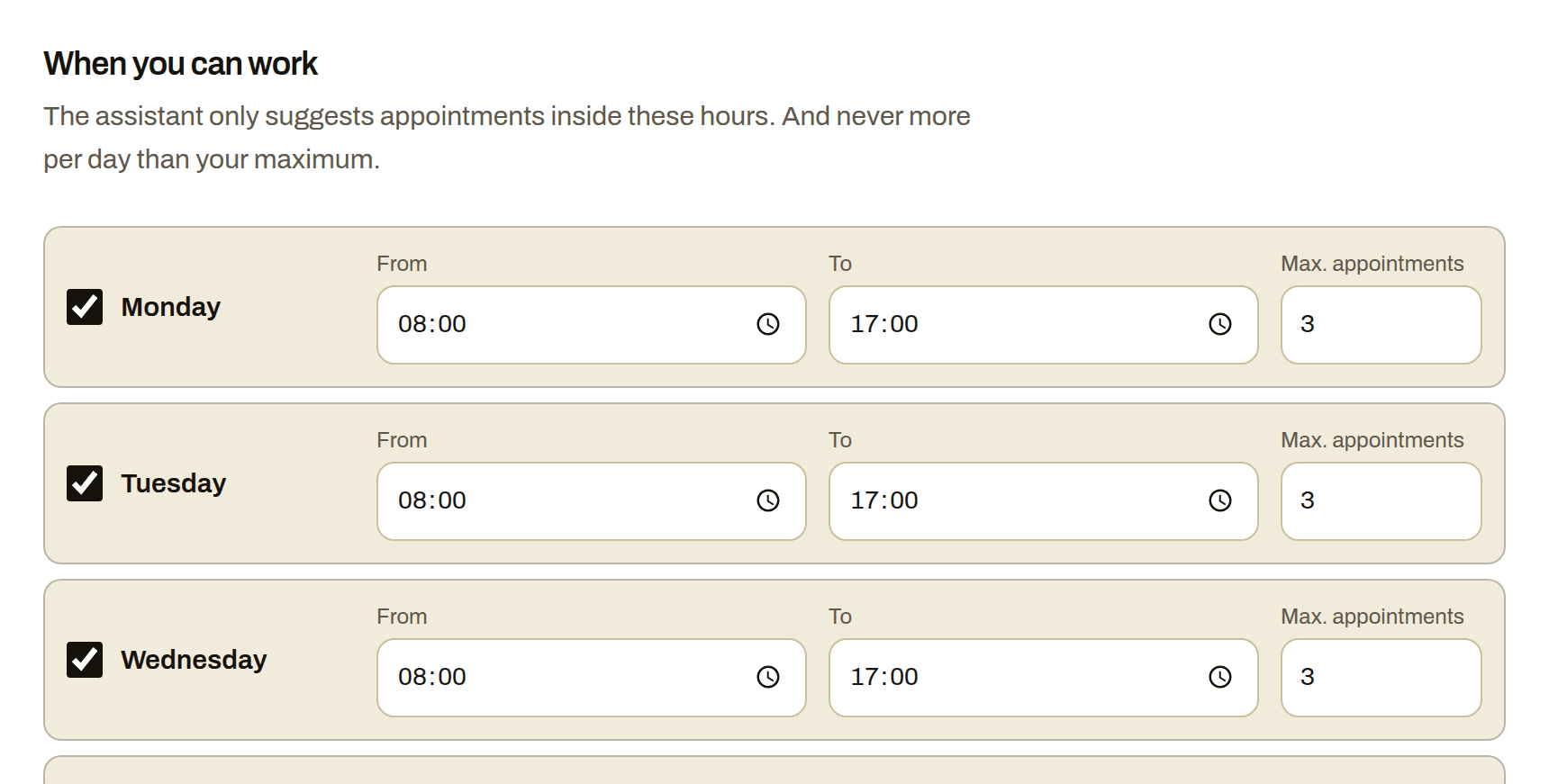
The assistant books only on the days and hours you open under Availability, at least two hours ahead and from the next two weeks. Never more appointments a day than you want: the default is three. Open only the early evening, and introductions never land in the middle of your round.
What it costs and how to start
A lead is a new request; if the same owner messages again within a day, it does not count twice. You start once with Starter for €49 incl. VAT: 10 credits, valid 12 months, and setting it up together with you in WhatsApp is included. One credit covers a chat of up to 10 replies from the assistant; replies 11 to 20 cost a second credit. You top up in packs of 10, 30 or 100 credits for €25, €60 and €180. A Chimy number of your own is optional, €15 a month or €149 a year; calls only work with it and cost 1 credit per started 5 minutes. Nothing renews by itself. All prices include VAT.
You start with the WhatsApp button on this page. Then you go through the steps under Get started: your availability, your profile with your services, your service area and what you do not do, and finally you go live. Owners message you through your own QR code and link, for example on your website, your van or a flyer at the pet shop. The assistant also picks up requests from your website form (WordPress with Contact Form 7); it replies to those within the hours in which clients may hear from you. With a Chimy number of your own you get a Chimy call number, and the assistant also answers calls you forward when you do not pick up.
How it works
You're on a job
A customer messages you or fills in your website form. With WhatsApp + calls you also forward missed calls to your Chimy number. You don't need to do anything.
A message from your assistant
In your customer's language and in your style. The assistant answers questions from your price list and frequently asked questions, and asks what's wrong, where and how urgent it is. It always says openly that it's a digital assistant. A customer's WhatsApp message gets a reply right away. A form or missed call gets one within your contact hours.
The appointment is in your calendar
Only at the times you set, and never more in a day than you want. You get a WhatsApp message and an email with a calendar invite. If the assistant isn't sure the job suits you, or the customer wants to negotiate the price or talk to you, it hands the conversation over to you.
What it looks like
Frequently asked questions
Can I set which dogs I do not take in my group?
Yes. Write it in plain sentences in your profile under What you do not do, for example no dogs that cannot be with other dogs. If a request clearly falls under it, the assistant politely says no and books no introduction. You see the conversation in your dashboard.
Does the assistant put the dog on my regular walking days?
No. The assistant notes which days and how often the owner wants walks and books only the introduction, an hour by default. The regular walking schedule is something you agree and keep yourself.
Does the assistant ask about the dog's vaccinations or medication?
Not in the default questions: those are about the dog, the days and the neighbourhood. The assistant gives no advice of its own on the dog's health or care and answers only with what your profile and your frequently asked questions say. You discuss vaccinations and medication with the owner yourself at the introduction.
What happens with an owner outside my route?
If the address is clearly outside your service area, the assistant says so honestly and books nothing. If it is not clear whether the address is in your service area and your profile does not settle it, you get the conversation on your WhatsApp and decide yourself.
Can the assistant also answer the phone while I am in the woods?
Yes, with a Chimy number of your own. You forward the calls you do not pick up to your Chimy call number and the assistant asks the same questions. Without a Chimy number of your own the assistant replies on WhatsApp and your website form, not on the phone.
Other trades
- Building contractors
- Car detailers
- Tyre services
- Barbers
- Tree surgeons
- Caterers
- Computer repair shops
- Roofers
- Pet sitters
- Dietitians
- DJs
- Electricians
- Event rental companies
- Bike repair shops
- Photographers
- Physiotherapists
- Car garages
- Glaziers
- Window cleaners
- Gardeners
- Heating installers
- Insulation companies
- Hair salons
- Kitchen fitters
- Handymen
- Window frame companies
- Plumbers
- Massage therapists
- Medical pedicures
- Nail studios
- Pest control companies
- Podiatrists
- Driving schools
- Painters
- Beauty salons
- Cleaning companies
- Chimney sweeps
- Locksmiths
- Plasterers
- Dentists
- Tilers
- Carpenters
- Dog groomers
- Moving companies
- Flooring installers
- Lash stylists
- Appliance repairers
- Solar installers
Start with your WhatsApp number
This opens WhatsApp with a ready-made message. Send it and we'll handle the rest in WhatsApp.
Start on WhatsApp
Scan the QR code with your phone's camera.
- Open the camera app on your phone and point it at the code.
- Tap the WhatsApp notification or link that appears. WhatsApp opens with the message already typed.
- Send the message. Chimy takes it from there in WhatsApp.