 Chimy
You're on the roof. Your customer still hears back within a minute.
As a roofer you often do not pick up the phone. Not because you do not want to, but because you are twelve metres up with a torch or a stack of tiles in your hands. By the time you are back on the ground and call back, the customer with the leak has already rung the next roofing company.
Chimy is an AI assistant on WhatsApp that answers questions from your profile and price list, takes requests and books appointments. With a Chimy number of your own it also picks up that missed call; if it cannot answer, the caller gets a WhatsApp. On WhatsApp it replies within a minute. It asks what is going on, where it is and how fast it needs doing, and puts an inspection or a job in your calendar. Only at times you have released, and never more a day than you can handle.
This opens WhatsApp with a ready-made message. Send it and we'll handle the rest in WhatsApp.
Start on WhatsApp
Scan the QR code with your phone's camera.
- Open the camera app on your phone and point it at the code.
- Tap the WhatsApp notification or link that appears. WhatsApp opens with the message already typed.
- Send the message. Chimy takes it from there in WhatsApp.
Start on WhatsApp. Starter for €49 once, then pay per conversation. Prices incl. VAT.
- Website form request from 06 12 34 ••••
Assistant: Hi, thanks for your request through the Dakwerken De Ruiter website. I'm the digital assistant. How can I help?
Customer: The roof is leaking after last night's storm. There's water on the attic floor. Tiled roof, in Amersfoort.
Assistant: Sorry to hear that. Is water still coming in? Someone can come by this afternoon at 14:00 to look at the roof. Does that work?
Customer: Still dripping, there's a bucket under it. 14:00 is fine.
Assistant: Booked: today at 14:00, an inspection. Dakwerken De Ruiter will be in touch with you.
- Appointment in the calendar of Dakwerken De Ruiter
The problem
Without an answer, a customer is gone.
Without an assistant
A missed call or a message left waiting. The customer looks elsewhere.
With Chimy
The customer gets an answer, Chimy asks what's needed and you read it when you have time.
Take a look
This is your dashboard.
The calls a roofer misses
You know the moments. You are clipped into your harness on a pitched roof and your phone buzzes in your pocket. You are torching down felt on a flat roof and cannot even look at who is calling. Or you are in the van on the way to the next job and the caller hangs up before you can answer.
And then there is the storm. The morning after, everyone calls in the same hour: a leak above the bedroom, tiles blown off the roof, a ridge tile that has come loose, a gutter overflowing, a dormer letting water in. You can answer one of them that morning. The rest go to voicemail and do not call back.
It comes in without a storm too: someone wants a quote for a new roof, an owners' association is looking for a roof inspection, a tenant reports a blocked gutter. All jobs you would have liked to have.
- Roof leaks, often reported once water is already on the attic floor
- Storm damage: loose or missing tiles, ridge tiles, lead flashing
- Gutters and downpipes: blocked, leaking or hanging loose
- Flat roofs: replacing bitumen or EPDM, blistering, open seams
- Roof inspection and maintenance for an owners' association (VvE) or a landlord
- Quotes for a new roof, insulation or a dormer
What the assistant asks about a leak
The assistant asks the same questions you would ask on the phone. What is going on: is water coming in right now, or is it a damp patch that has been visible for a while? Is it a pitched roof with tiles or a flat roof? A gutter, a skylight, a chimney? Then where: the address, and whether it is inside your service area. And how urgent: is there a bucket under it, is it still raining, or is it an inspection that can wait until next week?
It only knows what you put in your profile: your services, your service area, what you do not do and how you price. If you do not do flat roofs, weekend emergencies or jobs outside your region, it says so politely and books nothing. It names a price only if you have put one in your price guidance, and then always as an indication. The inspection and the quote remain your work.
If it is unsure, for instance because the customer describes something that does not fit your profile, it hands the conversation to you. You see the whole thread and call back yourself. Customers can send photos of the wet patch or the loose tiles; while you have credits you view them in your dashboard, so you know what you will find before you unfold the ladder.
If the customer writes in English, the assistant answers in English. It always says it is a digital assistant, in short, plain sentences.
A storm day does not fill your week
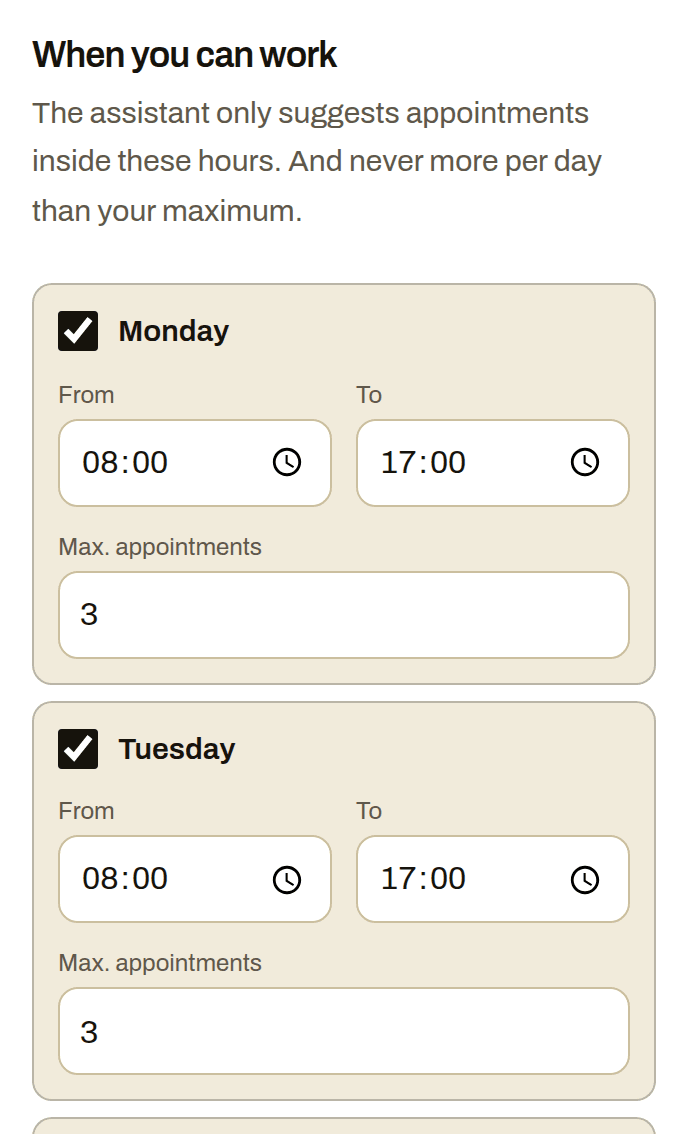
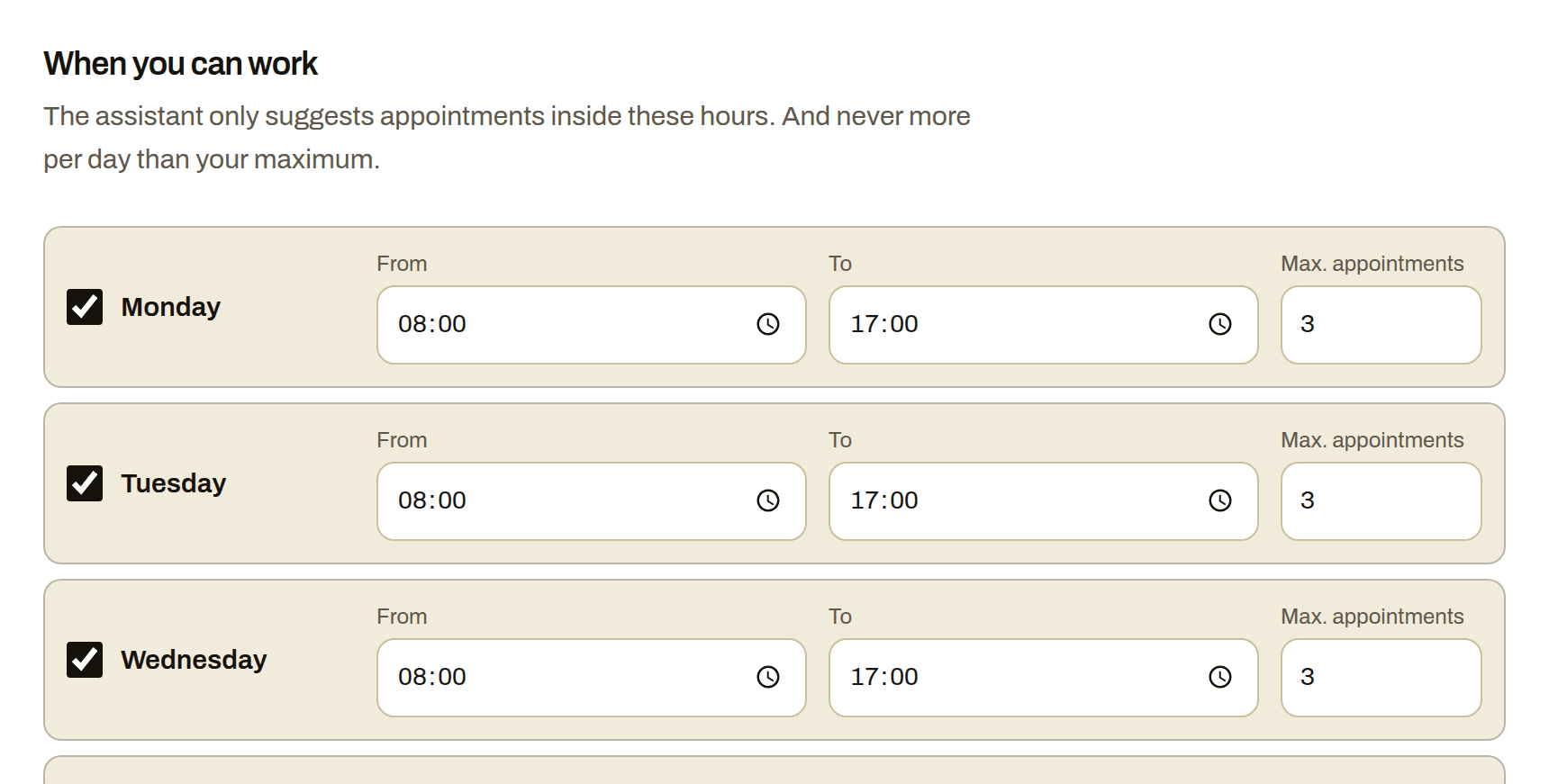
After a storm you do not want a calendar packed with appointments your crew cannot get to. So the assistant works from your availability: your days, your hours and a maximum number of appointments a day. The default is three. You change it whenever you want, for instance to one inspection a day in a busy week.
An appointment is a one-hour block. The assistant offers at most three free times from the next fourteen days and books the one the customer picks. If that time was just taken, it offers others. If the day is full, it moves on to the next day or hands the conversation to you.
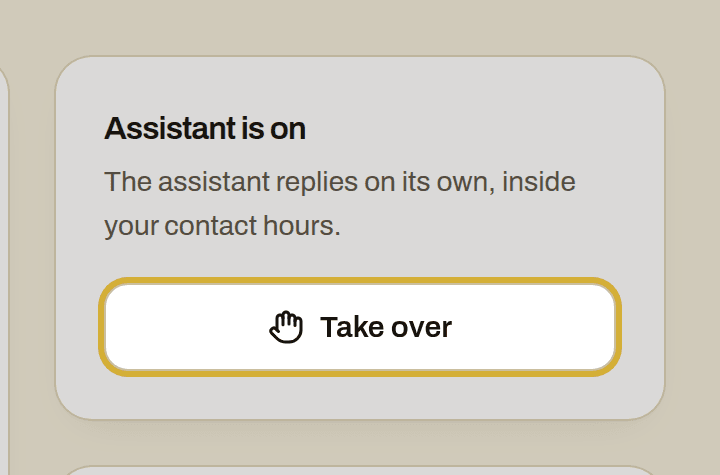
With every booking you get a WhatsApp message and an email with a calendar invite. Want to carry on yourself? One click in Leads takes over. The assistant stops right away and you continue where it left off. If a customer goes quiet, the assistant sends one reminder after two hours and then a sign-off; if the customer sends STOP, it stops immediately.
What it costs
You start once with Starter for €49 incl. VAT, with 10 credits. After that you top up credits when you need them, for example 10 credits for €25. A Chimy number of your own is optional, for €15 a month. Credits never renew by themselves.
All prices include VAT.
A lead is a new request: a call, your website form or a WhatsApp message from a new number. If the same customer calls again within a day, it does not count twice. Setting it up together is included with Starter: you set up your assistant in a guided chat on WhatsApp. You do not need it: your dashboard explains every step.
How to switch it on
You start with the WhatsApp button on this page. It opens a ready-made message; send it and you handle the rest in the chat, from your phone, from the roof if need be.
With a Chimy number of your own you forward your own number to your Chimy call number for missed calls. You do that with a call-forwarding code on your own phone: one for when you do not answer, one for when you are on another call and one for when you have no signal. The codes are ready in your dashboard; keying them in is quickly done. The assistant then answers the forwarded call itself, asks what, where and when and books the slot; a call lasts at most ten minutes. If it cannot answer, the caller gets a WhatsApp. Without a Chimy number of your own there is no call number and no forwarding.
If you have a website with a contact form, it passes the request straight through; it works with WordPress and Contact Form 7. And if someone messages your business number, the assistant picks up that conversation the same way. After a finished job it can ask the customer for a review on the link you set.
How it works
You're on a job
A customer messages you or fills in your website form. With WhatsApp + calls you also forward missed calls to your Chimy number. You don't need to do anything.
A message from your assistant
In your customer's language and in your style. The assistant answers questions from your price list and frequently asked questions, and asks what's wrong, where and how urgent it is. It always says openly that it's a digital assistant. A customer's WhatsApp message gets a reply right away. A form or missed call gets one within your contact hours.
The appointment is in your calendar
Only at the times you set, and never more in a day than you want. You get a WhatsApp message and an email with a calendar invite. If the assistant isn't sure the job suits you, or the customer wants to negotiate the price or talk to you, it hands the conversation over to you.
What it looks like
Frequently asked questions
Can the assistant assess a roof leak?
No, and it does not try to. It asks what the customer sees, where it is and how urgent it is, and books a time for you to look at the roof. Whether it is a loose tile or worn lead flashing is for you to decide on the ladder.
What happens when twenty people call at once after a storm?
Every message gets an answer within a minute, and with a Chimy number of your own the assistant also answers forwarded calls. Everyone is asked the right questions. The assistant books only in your released hours and never more appointments a day than your maximum. If a day is full, it offers the next one. If someone cannot wait for the times offered, you get the conversation, so you choose who to call first.
Can I say what I do not do?
Yes. In your profile you set your services, your service area and what you decline, for instance no flat roofs, no weekend emergencies or no jobs outside your region. The assistant sticks to that and does not book those requests.
Does the assistant quote prices?
Only if you have put a guide price in your profile, and then always as an indication. If there is nothing there, it says you set the price after an inspection and hands the conversation to you if the customer presses for a figure.
Can I always take over myself?
One click in Leads. The assistant stops right away and you carry on in the same WhatsApp thread. Conversations are kept for a year and never resold.
Other trades
- Building contractors
- Car detailers
- Tyre services
- Barbers
- Tree surgeons
- Caterers
- Computer repair shops
- Pet sitters
- Dietitians
- DJs
- Electricians
- Event rental companies
- Bike repair shops
- Photographers
- Physiotherapists
- Car garages
- Glaziers
- Window cleaners
- Dog walkers
- Gardeners
- Heating installers
- Insulation companies
- Hair salons
- Kitchen fitters
- Handymen
- Window frame companies
- Plumbers
- Massage therapists
- Medical pedicures
- Nail studios
- Pest control companies
- Podiatrists
- Driving schools
- Painters
- Beauty salons
- Cleaning companies
- Chimney sweeps
- Locksmiths
- Plasterers
- Dentists
- Tilers
- Carpenters
- Dog groomers
- Moving companies
- Flooring installers
- Lash stylists
- Appliance repairers
- Solar installers
Start with your WhatsApp number
This opens WhatsApp with a ready-made message. Send it and we'll handle the rest in WhatsApp.
Start on WhatsApp
Scan the QR code with your phone's camera.
- Open the camera app on your phone and point it at the code.
- Tap the WhatsApp notification or link that appears. WhatsApp opens with the message already typed.
- Send the message. Chimy takes it from there in WhatsApp.