 Chimy
You are with someone else's cats. Meanwhile the next client is planning a holiday.
As a pet sitter you work in other people's homes. You fill food bowls, clean the litter tray, let a rabbit stretch its legs and send the owner a photo. You do that precisely when your clients are away. And in the weeks before a school holiday, lots of people write at once that they need someone.
Chimy puts a digital assistant on your WhatsApp and your website form. On WhatsApp it answers within a minute, in the evening and at the weekend too. On your form it answers within the contact hours you set yourself. The assistant asks which animals it is about, from when until when, and whether the sitting is at the client's home or at yours. Then it books a one-hour intake at a time you have released.
This opens WhatsApp with a ready-made message. Send it and we'll handle the rest in WhatsApp.
Start on WhatsApp
Scan the QR code with your phone's camera.
- Open the camera app on your phone and point it at the code.
- Tap the WhatsApp notification or link that appears. WhatsApp opens with the message already typed.
- Send the message. Chimy takes it from there in WhatsApp.
Start on WhatsApp. Starter for €49 once, then pay per conversation. Prices incl. VAT.
- Request via the website form of Dierenoppas Lotte
Assistant: Hi Sanne, thanks for your request to Dierenoppas Lotte. I am the digital assistant. You are looking for a sitter for your cats. How many cats are there, and from when until when are you away?
Customer: Two cats, Moos and Pip. We are away from Saturday 24 April to Saturday 1 May. Who would actually come round?
Assistant: Lotte does it personally, with eight years of looking after cats and rabbits locally. Is the sitting at your home, or do the cats go to Lotte? And which town do you live in?
Customer: At our home, in Woerden.
Assistant: Thank you. Lotte confirms the sitting dates personally. The first step is an intake at your home, an hour by default, so Lotte can meet Moos and Pip too. Does Saturday 31 October from 10:00 to 11:00 work?
Customer: Yes, that works.
Assistant: Booked: Saturday 31 October, 10:00 to 11:00, an intake about sitting for Moos and Pip from 24 April to 1 May. Lotte will be in touch.
- Appointment in the calendar of Dierenoppas Lotte
The problem
Without an answer, a customer is gone.
Without an assistant
A missed call or a message left waiting. The customer looks elsewhere.
With Chimy
The customer gets an answer, Chimy asks what's needed and you read it when you have time.
Take a look
This is your dashboard.
When the sitting requests come in
A sitting request rarely arrives at a quiet moment. You are at a client's place with a tin of cat food in your hand, on your way to the next address, or sending your photo updates in the evening. People book their holiday first and think about the cat afterwards. That happens on the sofa after dinner, often for several holidays at once.
Someone who messages a few sitters often goes with whoever answers first. If you only read your messages after your last round, that client may already have an intro booked with someone else.
- Feeding and caring for cats at the client's home
- Rabbits, guinea pigs and birds during a holiday
- An animal that comes to stay with you
- A long weekend away or a week in the summer
Who will look after my pets? Your profile answers that
A client is about to hand you the care of an animal and access to an empty home. So the first question is often not the price but: who are you? Your Chimy profile has a section for this, Tone and about your business. In your own words you write who you are and how you work, how many years of experience you have, and which courses or certifications you hold, the way you describe them.
If a client asks who will come or how long you have been doing this, the assistant answers from that text. If your profile says nothing about it, the assistant does not make it up. If the client needs the answer to decide, the assistant hands the conversation to you. If the client asks in passing, the assistant says you will cover it at the intake and notes the question for you.
In the same section you choose the tone. If you address clients informally, so does the assistant. If you choose the formal form, the assistant writes in the formal form too. That way the first message sounds like your business, not like a help desk.
Three questions before the intake, and you can change them
The assistant asks one or two questions per message, like a normal chat. By default there are three. Which animal or animals is it about? From when until when do you need a sitter? Is the sitting at the client's home or at yours? You can rewrite, switch off or add to these questions in your profile.
What the assistant books is always the intake, an hour by default, never the sitting week itself. The assistant notes the dates of the stay for you, but it does not check whether you still have room and does not hold them for the client. You confirm those dates yourself, at or after the intake.
What the assistant does not ask and does not do
The default questions are not about the animal's health or medication. You discuss that yourself at the intake, where you also meet the animals. The assistant is not a vet and gives no care advice of its own: it answers only with what your profile and your frequently asked questions say. If a client asks about food, medication or a sick animal and the answer is not there, the assistant does not make up an answer: it says you will discuss it, or it hands the conversation to you.
A client looking for a sitter also tells you when the home will be empty. The assistant never asks for keys, alarm codes or any other codes. The address is asked as with every appointment and is in the confirmation you receive. The calendar link to your own calendar app holds no address, phone number or description, only the first name and the word Afspraak.
What you see and control
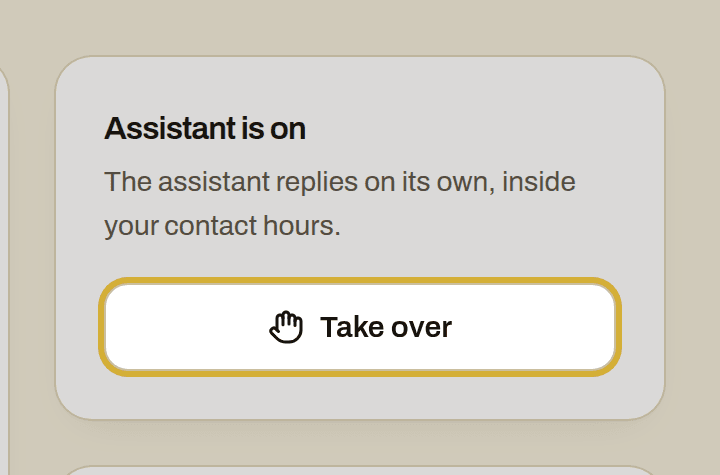
For every booked intake you get a WhatsApp and an email with a calendar invite, including the animals, the requested dates and the town. In your dashboard you can read the whole conversation. If you want to carry on with a client yourself, click Take over in Leads and the assistant stops at once.
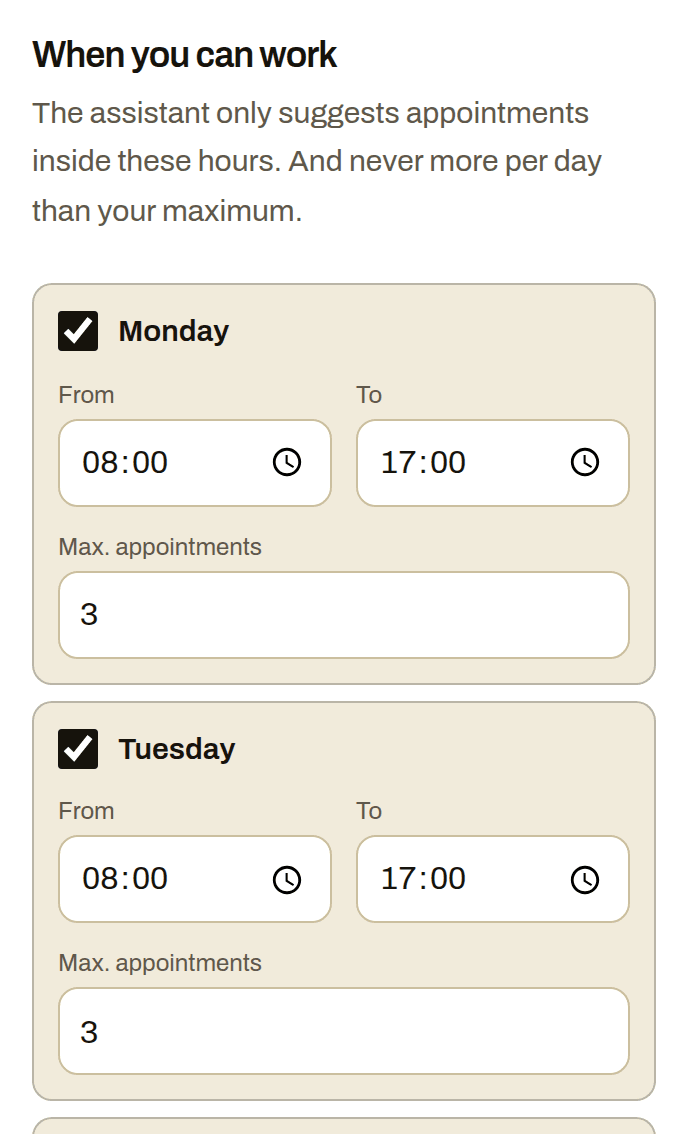
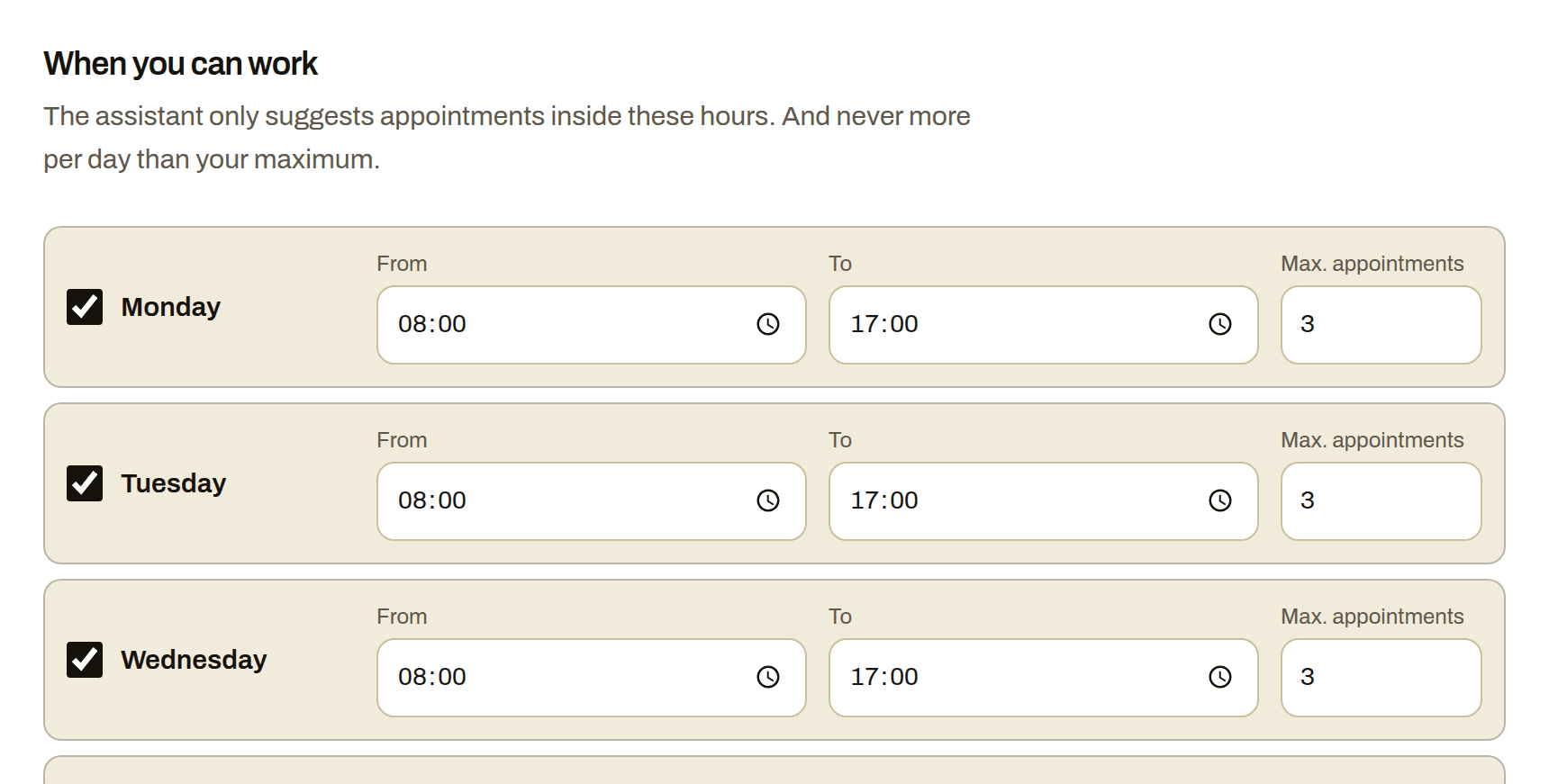
The assistant only books on the days and hours you released under Availability, from the next two weeks and at least two hours ahead. You also set how many appointments a day it may add: three by default. That way the intakes fit between your feeding rounds, even in the busy weeks before the summer.
What Chimy costs
You start once with Starter for €49 incl. VAT, with 10 credits. After that you top up credits when you need them, for example 10 credits for €25. A Chimy number of your own is optional, for €15 a month. Credits never renew by themselves. A chat of up to 10 replies costs 1 credit, and replies 11 to 20 cost 1 more. If the same customer messages again within a day, it does not count again. Calls need a Chimy number of your own and cost 1 credit per started 5 minutes.
Setting it up together is included with Starter: you set up your assistant in a guided chat on WhatsApp. All prices include VAT.
How to start
Tap the WhatsApp button on this page and fill in your profile: which animals you look after, in which places, what you do not do, and your own about text. Put your QR code and link on your website and social media; clients who message through them reach the assistant. Connect your contact form and those requests go to the assistant too.
With a Chimy number of your own you get a Chimy phone number. Turn on call forwarding when unanswered on your mobile, and the assistant picks up while your hands are in the litter tray. Without a Chimy number of your own the assistant does not answer calls.
How it works
You're on a job
A customer messages you or fills in your website form. With WhatsApp + calls you also forward missed calls to your Chimy number. You don't need to do anything.
A message from your assistant
In your customer's language and in your style. The assistant answers questions from your price list and frequently asked questions, and asks what's wrong, where and how urgent it is. It always says openly that it's a digital assistant. A customer's WhatsApp message gets a reply right away. A form or missed call gets one within your contact hours.
The appointment is in your calendar
Only at the times you set, and never more in a day than you want. You get a WhatsApp message and an email with a calendar invite. If the assistant isn't sure the job suits you, or the customer wants to negotiate the price or talk to you, it hands the conversation over to you.
What it looks like
Frequently asked questions
Does the assistant tell clients I still have room in the summer holiday?
No. The assistant notes the sitting dates, but does not check whether you still have room and does not reserve them. You confirm them yourself. What the assistant books is only the one-hour intake.
Does the assistant ask about the animal's illnesses or medication?
The default questions are not about illnesses or medication. The assistant is not a vet, gives no care advice of its own and answers only with what your profile and your frequently asked questions say. You discuss the animal's health yourself at the intake.
Can the assistant address my clients formally?
Yes. Choose the formal form under Tone and about your business in your profile and the assistant writes formally. The default is informal.
Does the assistant ask for the house key or the alarm code?
No. The assistant never asks for codes or passwords. How keys are handed over is something you arrange with the client yourself.
Does every sitting request count as a lead?
A lead is a new request from a new number. If the same client messages again within a day, for example with an extra date, it does not count twice.
Other trades
- Building contractors
- Car detailers
- Tyre services
- Barbers
- Tree surgeons
- Caterers
- Computer repair shops
- Roofers
- Dietitians
- DJs
- Electricians
- Event rental companies
- Bike repair shops
- Photographers
- Physiotherapists
- Car garages
- Glaziers
- Window cleaners
- Dog walkers
- Gardeners
- Heating installers
- Insulation companies
- Hair salons
- Kitchen fitters
- Handymen
- Window frame companies
- Plumbers
- Massage therapists
- Medical pedicures
- Nail studios
- Pest control companies
- Podiatrists
- Driving schools
- Painters
- Beauty salons
- Cleaning companies
- Chimney sweeps
- Locksmiths
- Plasterers
- Dentists
- Tilers
- Carpenters
- Dog groomers
- Moving companies
- Flooring installers
- Lash stylists
- Appliance repairers
- Solar installers
Start with your WhatsApp number
This opens WhatsApp with a ready-made message. Send it and we'll handle the rest in WhatsApp.
Start on WhatsApp
Scan the QR code with your phone's camera.
- Open the camera app on your phone and point it at the code.
- Tap the WhatsApp notification or link that appears. WhatsApp opens with the message already typed.
- Send the message. Chimy takes it from there in WhatsApp.