 Chimy
You are up on the roof. Down below, one quote request after another comes in.
As a solar installer you spend most of the day up top. Your hands are full and your phone is deep in your jacket. Meanwhile your website form fills up with quote requests, and in between someone messages about a system you fitted two years ago: the inverter is showing a warning.
Chimy picks up those requests while you work. Chimy is an AI assistant on WhatsApp: a customer who messages gets an answer within a minute, a form within your contact hours. It asks whether this is a new system or an existing one, what the roof looks like and where it is, and books a survey or service visit, an hour by default, at a time you have released. About yield, payback and subsidies the assistant says nothing. That conversation is yours.
This opens WhatsApp with a ready-made message. Send it and we'll handle the rest in WhatsApp.
Start on WhatsApp
Scan the QR code with your phone's camera.
- Open the camera app on your phone and point it at the code.
- Tap the WhatsApp notification or link that appears. WhatsApp opens with the message already typed.
- Send the message. Chimy takes it from there in WhatsApp.
Start on WhatsApp. Starter for €49 once, then pay per conversation. Prices incl. VAT.
- Request through the website form of Zonnewerk Dekker: 06 12 34 ••••, quote for solar panels
Assistant: Hi, thanks for your request to Zonnewerk Dekker. I am the digital assistant. Is this about new panels, or do you already have a system?
Customer: New panels. We have a pitched roof facing south-west. How long until it pays for itself?
Assistant: Zonnewerk Dekker will go through that with you at the survey, once the roof has been seen. Do you roughly know your yearly consumption? And which town is it in?
Customer: Around 3500 kWh I think. It is in Hengelo. A morning would be best.
Assistant: Hengelo is in our area. Does Monday 2 November, 10:00 to 11:00, suit you for the survey?
Customer: Yes, fine.
Assistant: Booked: Monday 2 November, 10:00 to 11:00, survey for solar panels on a pitched roof facing south-west. You will get a confirmation.
- Appointment in the calendar of Zonnewerk Dekker
The problem
Without an answer, a customer is gone.
Without an assistant
A missed call or a message left waiting. The customer looks elsewhere.
With Chimy
The customer gets an answer, Chimy asks what's needed and you read it when you have time.
Take a look
This is your dashboard.
Up on the roof you hear nothing
Fitting a system takes you a day, sometimes two. If you climb down for every notification, you will not be done by evening. So you only check what came in once you are back in the van or at home. By then the customer who asked for a quote that afternoon may have asked other installers too.
Two kinds of request reach you. People without panels who want a quote. And customers with an existing system: the inverter shows a fault, the app suddenly shows nothing, or a panel has shifted after a storm. Both are worth a quick answer.
New system or a warning on the inverter
The assistant starts with the question that makes the difference for you: is this a new installation or a system that is already there? Then it asks what you need to decide whether and when to go.
For a new system: is it a pitched roof or a flat roof, roughly which way does it face, and does the customer know how many panels they want or what the yearly consumption is? If the customer does not know, that is fine too. For an existing system: what does the inverter display say, since when, and did you fit the system at the time? And for both: which town is it in, and when suits them.
Yield, payback and subsidies: the assistant stays out of it
Nearly every customer asks. How much will it produce? How soon will I earn it back? What happens with net metering (saldering), and is there a subsidy? Those are questions where a wrong number turns into an unhappy customer later. So the assistant gives no yield, no payback time, no savings, no feed-in rate and no subsidy amount. It gives no advice on permits or rules either.
Instead it says honestly that you will go through that at the survey, once you have seen the roof. That keeps the customer talking and the appointment still gets made. You can read back in the conversation what the customer asked, so you arrive prepared.
A price is only mentioned if you put one in your profile yourself, as price guidance or in a price list, and then as an indication. If there is nothing there, it names no amount.
What you do not do also goes in your profile. For example no flat roofs, no systems fitted by someone else, or no work outside your area. The assistant tells the customer kindly and notes it for you.
A survey of an hour by default, at your times
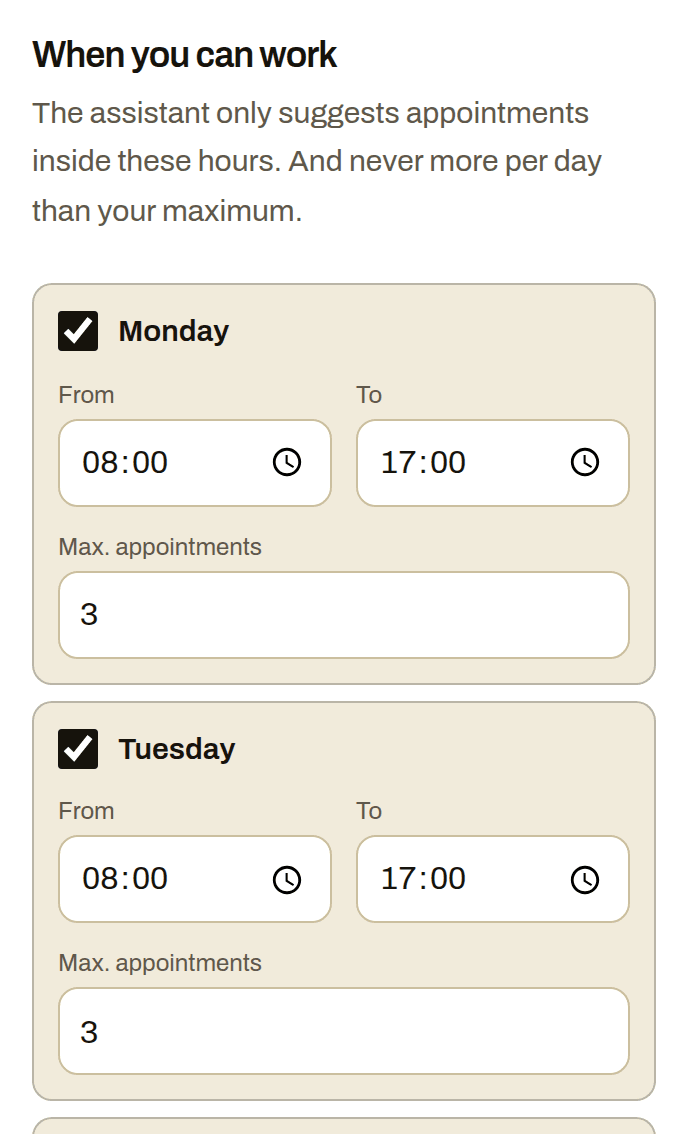
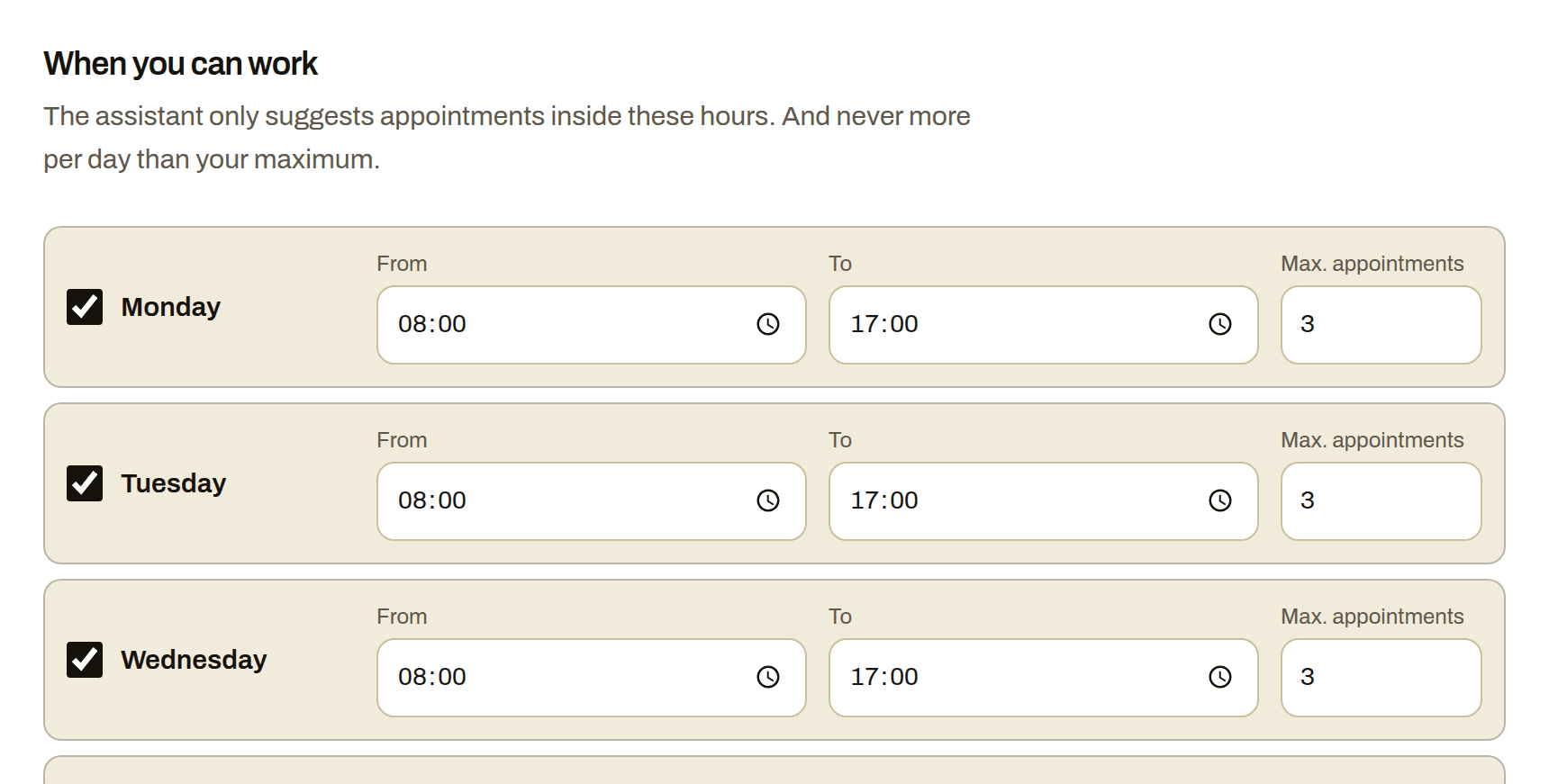
What the assistant books is always an appointment, an hour by default: a survey for a new installation or a service visit for a fault. It only offers times from the hours you released in Availability, from the next two weeks and at least two hours ahead. By default it never books more than three appointments a day, and you set that number yourself. The installation itself you plan with the customer afterwards.
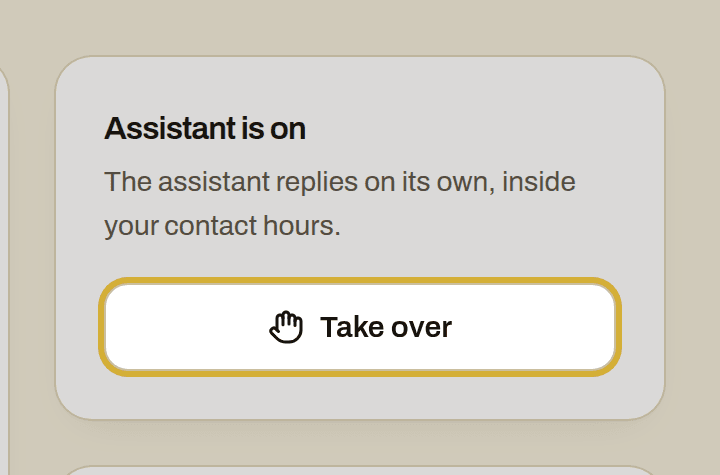
For every appointment you get a WhatsApp and an email with a calendar invite. Rather talk to a customer yourself? Click take over in Leads and the assistant stops straight away. If the customer haggles, complains or wants to speak to you, if the assistant is unsure whether the job suits you, or if none of the offered times works because it cannot wait, the conversation comes to you.
The costs at a glance
You start once with Starter for €49 incl. VAT, with 10 credits. After that you top up credits when you need them, for example 10 credits for €25. A Chimy number of your own is optional, for €15 a month. Credits never renew by themselves. A lead is a new request, for example through your website form or a WhatsApp from a new number. If the same customer messages again within a day, it does not count twice.
Setting it up together is included with Starter: you set up your assistant in a guided chat on WhatsApp. Doing it yourself through your dashboard is free. All prices include VAT.
Switching it on, even from the roof
Tap the WhatsApp button on this page and answer a few questions: what you fit and service, which towns you work in, what you do not do and how you price. That is what the assistant works from.
Then connect your website form, so every quote request gets a WhatsApp back within a minute, inside the contact hours you set under Availability; it works with WordPress and Contact Form 7. If someone messages your business number, the assistant picks up that conversation the same way.
With a Chimy number of your own you also get a Chimy call number. On your mobile, switch on forwarding when there is no answer with a short code, and the assistant answers those calls itself while you are up on the roof. Calls need a Chimy number of your own; without it customers reach the assistant through your website and WhatsApp.
How it works
You're on a job
A customer messages you or fills in your website form. With WhatsApp + calls you also forward missed calls to your Chimy number. You don't need to do anything.
A message from your assistant
In your customer's language and in your style. The assistant answers questions from your price list and frequently asked questions, and asks what's wrong, where and how urgent it is. It always says openly that it's a digital assistant. A customer's WhatsApp message gets a reply right away. A form or missed call gets one within your contact hours.
The appointment is in your calendar
Only at the times you set, and never more in a day than you want. You get a WhatsApp message and an email with a calendar invite. If the assistant isn't sure the job suits you, or the customer wants to negotiate the price or talk to you, it hands the conversation over to you.
What it looks like
Frequently asked questions
Does the assistant work out what solar panels will earn a customer?
No. The assistant gives no yield, savings, payback time, feed-in rate or subsidy. If a customer asks, it says you will go through that at the survey, and books the appointment as usual.
Can a customer with an inverter fault book a visit too?
Yes. The assistant asks what the display says, since when, and whether you fitted the system. If you do not service systems fitted by others, put that in your profile; the assistant then tells the customer politely.
Does the assistant quote a price per panel or per installation?
Only if you put price guidance or a price list in your profile, and then as an indication. If there is nothing there, it names no amount and the quote stays with you.
Does the assistant also plan the installation day?
No. It books a survey or service visit, an hour by default, at times you have released. The day or days for the installation you agree with the customer yourself afterwards.
Other trades
- Building contractors
- Car detailers
- Tyre services
- Barbers
- Tree surgeons
- Caterers
- Computer repair shops
- Roofers
- Pet sitters
- Dietitians
- DJs
- Electricians
- Event rental companies
- Bike repair shops
- Photographers
- Physiotherapists
- Car garages
- Glaziers
- Window cleaners
- Dog walkers
- Gardeners
- Heating installers
- Insulation companies
- Hair salons
- Kitchen fitters
- Handymen
- Window frame companies
- Plumbers
- Massage therapists
- Medical pedicures
- Nail studios
- Pest control companies
- Podiatrists
- Driving schools
- Painters
- Beauty salons
- Cleaning companies
- Chimney sweeps
- Locksmiths
- Plasterers
- Dentists
- Tilers
- Carpenters
- Dog groomers
- Moving companies
- Flooring installers
- Lash stylists
- Appliance repairers
Start with your WhatsApp number
This opens WhatsApp with a ready-made message. Send it and we'll handle the rest in WhatsApp.
Start on WhatsApp
Scan the QR code with your phone's camera.
- Open the camera app on your phone and point it at the code.
- Tap the WhatsApp notification or link that appears. WhatsApp opens with the message already typed.
- Send the message. Chimy takes it from there in WhatsApp.